


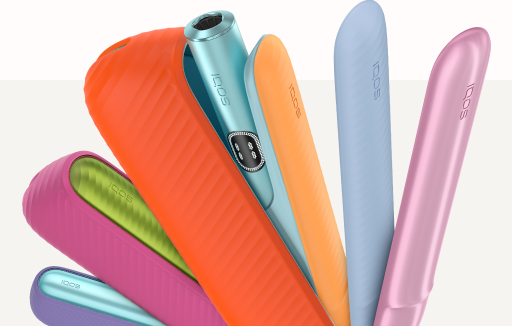

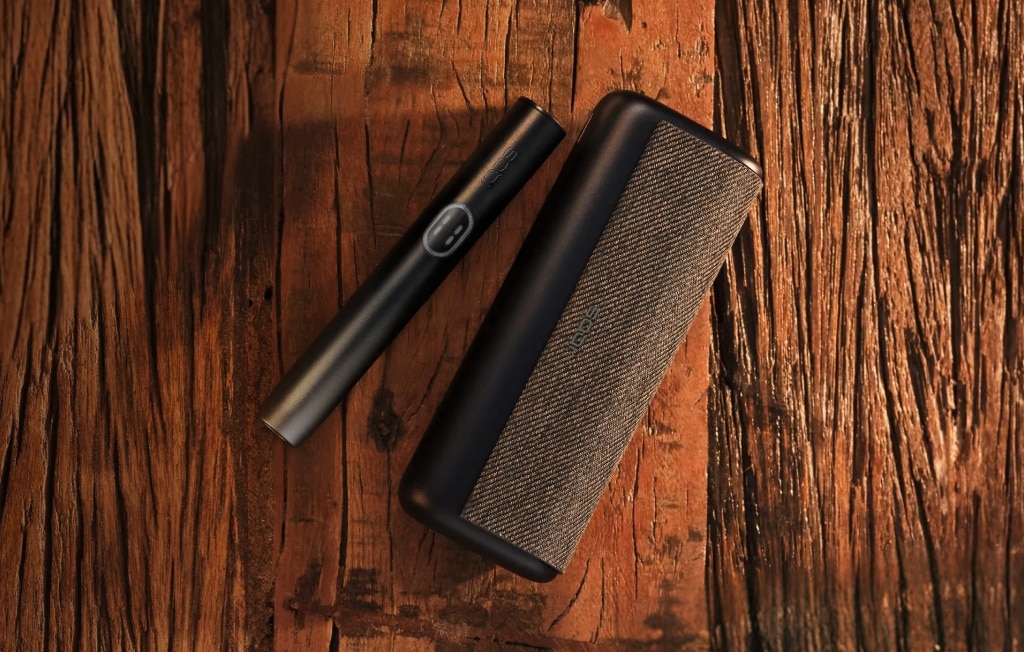


How IQOS 3 DUO is adapt to consumption?
IQOS 3 DUO enables to have two consecutive uses without Holder recharge. They will be indicated by the two white LED lights on your Holder and Pocket Charger.
Once you have finished the first use, there will be only one light left, i.e. 2 LEDs on – 2 uses ready, 1 LED – 1 use.
If you need the second use right away, your Holder is instantly ready for it.
If you do not need the second use right away, simply put the Holder back in the Pocket Charger for a quick recharge to have 2 uses back again.
In most cases, you can charge Holder back to at least one experience faster than Holder
How to check the Holder status for available uses?
You can check the Holder status (how many uses are available without recharge) in two ways – either on the Holder itself or on the Pocket Charger:
To check the status on the Holder:
- Press & release the Button of the Holder:
o 2 lights – ready for two uses
o 1 light – ready for one use
o No light – Holder not charged
To check the Holder status on the Pocket Charger:
- Press & release the Pocket Charger Button
- 2 lights – ready for two uses
- 1 light – ready for one use
On IQOS 3 DUO P. Charger On IQOS 3 P. Charger*
* For those customers who use a mixed version of IQOS 3 DUO Holder in the IQOS 3 Pocket Charger. In some cases it may be required to upgrade the firmware of IQOS 3 Pocket Charger to know when the Holder is ready for 1 use.
How can I reset my IQOS 3 DUO device?
You can easily reset your IQOS 3 DUO device by pressing and holding the Pocket Charger Button for 10 seconds (until lights fade out), then releasing.
All Status Lights will turn OFF, blink three times, and progressively fade in, to confirm the RESET.
Can I use IQOS AC power adaptor & USB cable from the previous device version to charge the IQOS 3 DUO device?
You can use the IQOS AC Power Adaptor from the previous device versions. However, IQOS 3 DUO USB cable hosts a USB-C port, which is different from that of IQOS™ 2.4 Plus.
Can I charge IQOS 2.4 Plus Holder with the IQOS 3 DUO Pocket Charger and vice versa?
No, the new IQOS 3 DUO Pocket Charger is only compatible with IQOS 3.
If you insert the IQOS™ 2.4 Plus Holder into the IQOS 3DUO Pocket Charger, the Holder will not fit because of different size.
If you accidentally insert the IQOS 3 DUO Holder in the IQOS™ 2.4 Plus Pocket Charger, the Pocket Charger lights will start blinking, however, the Holder won’t charge.
Should I always fully charge my Pocket Charger battery?
IQOS 3 DUO device does not require a full charge to work, however we recommend to fully charge the device before the first usage.
If the IQOS 3 DUO Pocket Charger is fully charged, you may use the Holder up to 20 times.
The Holder charging time is effective only if the IQOS 3 DUO Holder is fully charged the first time or after being fully depleted.
How long does it take to fully charge the device?
It takes approximately 120 minutes to fully charge the IQOS 3 DUO Pocket Charger from an electrical outlet. Only charge IQOS 3 DUO device using IQOS AC Power Adaptor and USB cable.
How can I check the charge level of the battery?
To check the charge level of the IQOS 3 Duo Pocket Charger, press & release the Pocket Charger Button.
The Pocket Charger Status light will turn ON for 3 sec to indicate battery status:
4 LEDs = more than 75% charged
1 LED = low charge. Need to charge
How is IQOS 3 DUO different from the previous devices?
The new IQOS 3 DUO has our fastest and most powerful Holder within IQOS family.
Inspired by our customers, it has been designed around your needs :
- It enables two consecutive uses without Holder recharging
- Faster Holder charging :
• At least 2min 20sec faster than charging the Holder of IQOS 2.4 Plus*
• At least 1min 40sec faster than charging the Holder of IQOS 3*
- It hosts our IQOS ProtectPlus™ System for better protection and reliability and NFC chip for easy registration and access to IQOS website
*provided IQOS 3 DUO Holder is fully charged the first time or when fully depleted; and applicable for charging IQOS 3 DUO Holder from 0 to 1 use. It may depend on conditions of use, on battery lifecycle, weather conditions and device usage.
How to clean my IQOS?
You can easily clean your IQOS™ Holder and Cap in few steps:
IQOS Holder:
• Prepare
1. switch off your IQOS Holder
2. wait for at least 30 seconds to cool down the blade
3. remove the cap
4. slide open your IQOS Cleaning Tool and check if it is not deformed and free of particles
• Insert
1. with a straight and gentle gesture, insert the IQOS Cleaning Tool till it touches the bottom of the heating chamber
2. do not twist yet
• Clean
1. without any further pushing pressure, gently twist IQOS™ Cleaning Tool 2-3 times
2. stop twisting, and extract the Tool straight from the Holder
3. gently tap the Holder and the Cleaning Tool to remove the tobacco residuals
• Finalize – use the IQOS™ Cleaning Sticks as a finishing touch.
1. insert the IQOS™ Cleaning Stick straight along the chamber
2. do not push or hit against the blade
3. do not attempt to clean the blade
4. in case IQOS™ Cleaning Stick is blocked, do not force. Simply use again the IQOS Cleanig Tool and repeat the above steps.
IQOS Cap:
1. Clean the inside of the IQOS™ Cap from the top with the IQOS™ Cleaning Sticks
2. Clean the bottom of the Cap with the IQOS™ Cleaning Tool:
a. Insert the IQOS™ Cleaning Tool till it touches the bottom of the Cap
b. Without extra push, gently twist the IQOS™ Cleaning Tool 2 - 3 times
c. Stop twisting, and gently tap both the cap and the IQOS™ Cleaning Tool to remove tobacco residuals.
How IQOS 3 DUO is adapt to consumption?
IQOS 3 DUO enables to have two consecutive uses without Holder recharge. They will be indicated by the two white LED lights on your Holder and Pocket Charger.
Once you have finished the first use, there will be only one light left, i.e. 2 LEDs on – 2 uses ready, 1 LED – 1 use.
If you need the second use right away, your Holder is instantly ready for it.
If you do not need the second use right away, simply put the Holder back in the Pocket Charger for a quick recharge to have 2 uses back again.
In most cases, you can charge Holder back to at least one experience faster than Holder
How to check the Holder status for available uses?
You can check the Holder status (how many uses are available without recharge) in two ways – either on the Holder itself or on the Pocket Charger:
To check the status on the Holder:
- Press & release the Button of the Holder:
o 2 lights – ready for two uses
o 1 light – ready for one use
o No light – Holder not charged
To check the Holder status on the Pocket Charger:
- Press & release the Pocket Charger Button
- 2 lights – ready for two uses
- 1 light – ready for one use
On IQOS 3 DUO P. Charger On IQOS 3 P. Charger*
* For those customers who use a mixed version of IQOS 3 DUO Holder in the IQOS 3 Pocket Charger. In some cases it may be required to upgrade the firmware of IQOS 3 Pocket Charger to know when the Holder is ready for 1 use.
How can I reset my IQOS 3 DUO device?
You can easily reset your IQOS 3 DUO device by pressing and holding the Pocket Charger Button for 10 seconds (until lights fade out), then releasing.
All Status Lights will turn OFF, blink three times, and progressively fade in, to confirm the RESET.
Can I use IQOS AC power adaptor & USB cable from the previous device version to charge the IQOS 3 DUO device?
You can use the IQOS AC Power Adaptor from the previous device versions. However, IQOS 3 DUO USB cable hosts a USB-C port, which is different from that of IQOS™ 2.4 Plus.
Can I charge IQOS 2.4 Plus Holder with the IQOS 3 DUO Pocket Charger and vice versa?
No, the new IQOS 3 DUO Pocket Charger is only compatible with IQOS 3.
If you insert the IQOS™ 2.4 Plus Holder into the IQOS 3DUO Pocket Charger, the Holder will not fit because of different size.
If you accidentally insert the IQOS 3 DUO Holder in the IQOS™ 2.4 Plus Pocket Charger, the Pocket Charger lights will start blinking, however, the Holder won’t charge.
Should I always fully charge my Pocket Charger battery?
IQOS 3 DUO device does not require a full charge to work, however we recommend to fully charge the device before the first usage.
If the IQOS 3 DUO Pocket Charger is fully charged, you may use the Holder up to 20 times.
The Holder charging time is effective only if the IQOS 3 DUO Holder is fully charged the first time or after being fully depleted.
How long does it take to fully charge the device?
It takes approximately 120 minutes to fully charge the IQOS 3 DUO Pocket Charger from an electrical outlet. Only charge IQOS 3 DUO device using IQOS AC Power Adaptor and USB cable.
How can I check the charge level of the battery?
To check the charge level of the IQOS 3 Duo Pocket Charger, press & release the Pocket Charger Button.
The Pocket Charger Status light will turn ON for 3 sec to indicate battery status:
4 LEDs = more than 75% charged
1 LED = low charge. Need to charge
How is IQOS 3 DUO different from the previous devices?
The new IQOS 3 DUO has our fastest and most powerful Holder within IQOS family.
Inspired by our customers, it has been designed around your needs :
- It enables two consecutive uses without Holder recharging
- Faster Holder charging :
• At least 2min 20sec faster than charging the Holder of IQOS 2.4 Plus*
• At least 1min 40sec faster than charging the Holder of IQOS 3*
- It hosts our IQOS ProtectPlus™ System for better protection and reliability and NFC chip for easy registration and access to IQOS website
*provided IQOS 3 DUO Holder is fully charged the first time or when fully depleted; and applicable for charging IQOS 3 DUO Holder from 0 to 1 use. It may depend on conditions of use, on battery lifecycle, weather conditions and device usage.
How to clean my IQOS?
You can easily clean your IQOS™ Holder and Cap in few steps:
IQOS Holder:
• Prepare
1. switch off your IQOS Holder
2. wait for at least 30 seconds to cool down the blade
3. remove the cap
4. slide open your IQOS Cleaning Tool and check if it is not deformed and free of particles
• Insert
1. with a straight and gentle gesture, insert the IQOS Cleaning Tool till it touches the bottom of the heating chamber
2. do not twist yet
• Clean
1. without any further pushing pressure, gently twist IQOS™ Cleaning Tool 2-3 times
2. stop twisting, and extract the Tool straight from the Holder
3. gently tap the Holder and the Cleaning Tool to remove the tobacco residuals
• Finalize – use the IQOS™ Cleaning Sticks as a finishing touch.
1. insert the IQOS™ Cleaning Stick straight along the chamber
2. do not push or hit against the blade
3. do not attempt to clean the blade
4. in case IQOS™ Cleaning Stick is blocked, do not force. Simply use again the IQOS Cleanig Tool and repeat the above steps.
IQOS Cap:
1. Clean the inside of the IQOS™ Cap from the top with the IQOS™ Cleaning Sticks
2. Clean the bottom of the Cap with the IQOS™ Cleaning Tool:
a. Insert the IQOS™ Cleaning Tool till it touches the bottom of the Cap
b. Without extra push, gently twist the IQOS™ Cleaning Tool 2 - 3 times
c. Stop twisting, and gently tap both the cap and the IQOS™ Cleaning Tool to remove tobacco residuals.